Open source · Local first · Cross-platform

Your Telegram files, organized.

Shelf Drive is a free, open-source file workspace for your Telegram account: organize Saved Messages and your channels like folders, preview and stream files in place, sync a desktop folder, and share what you need — on Windows, macOS, and Linux.

Version 4.5.0 · Windows · macOS · Linux

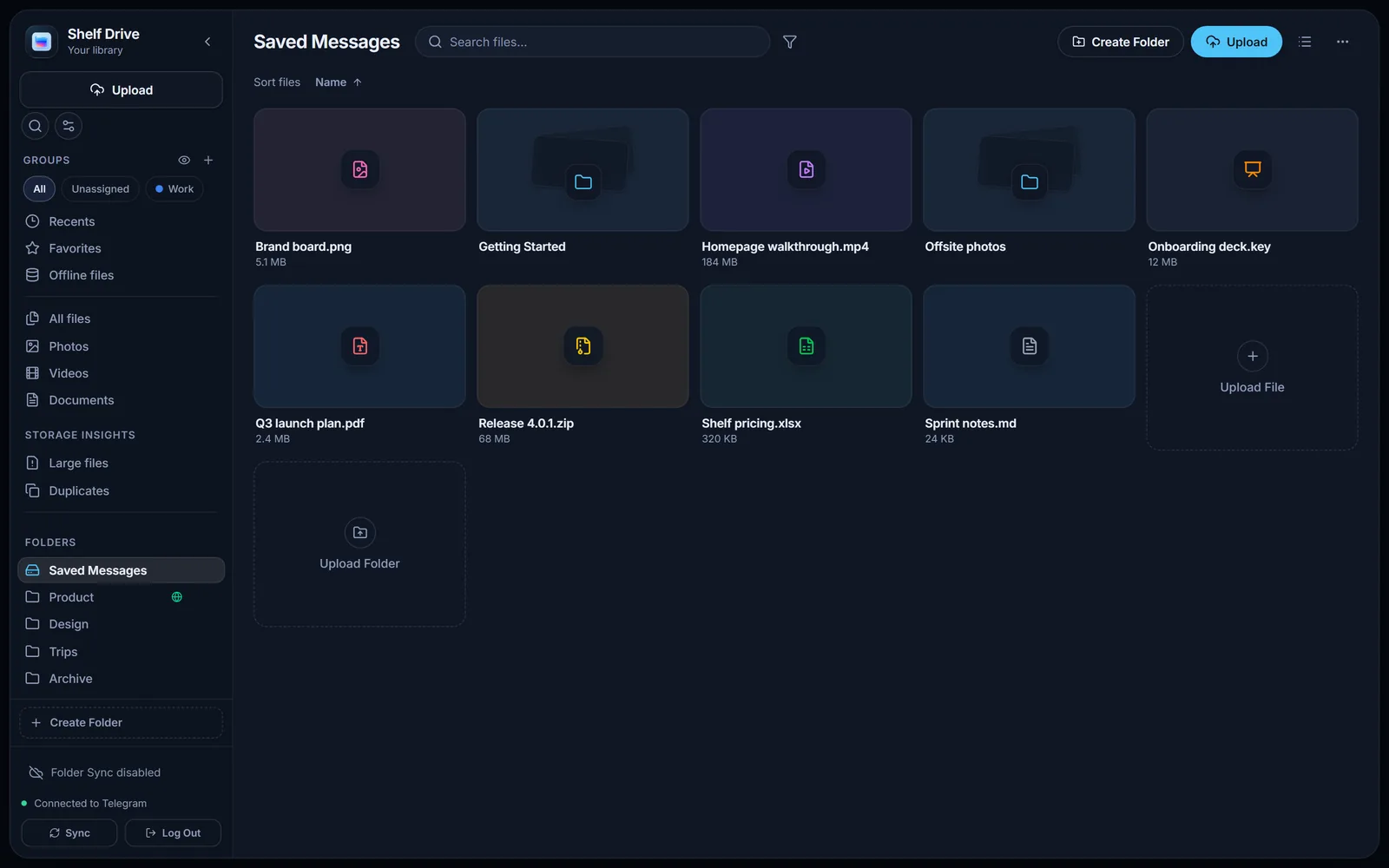
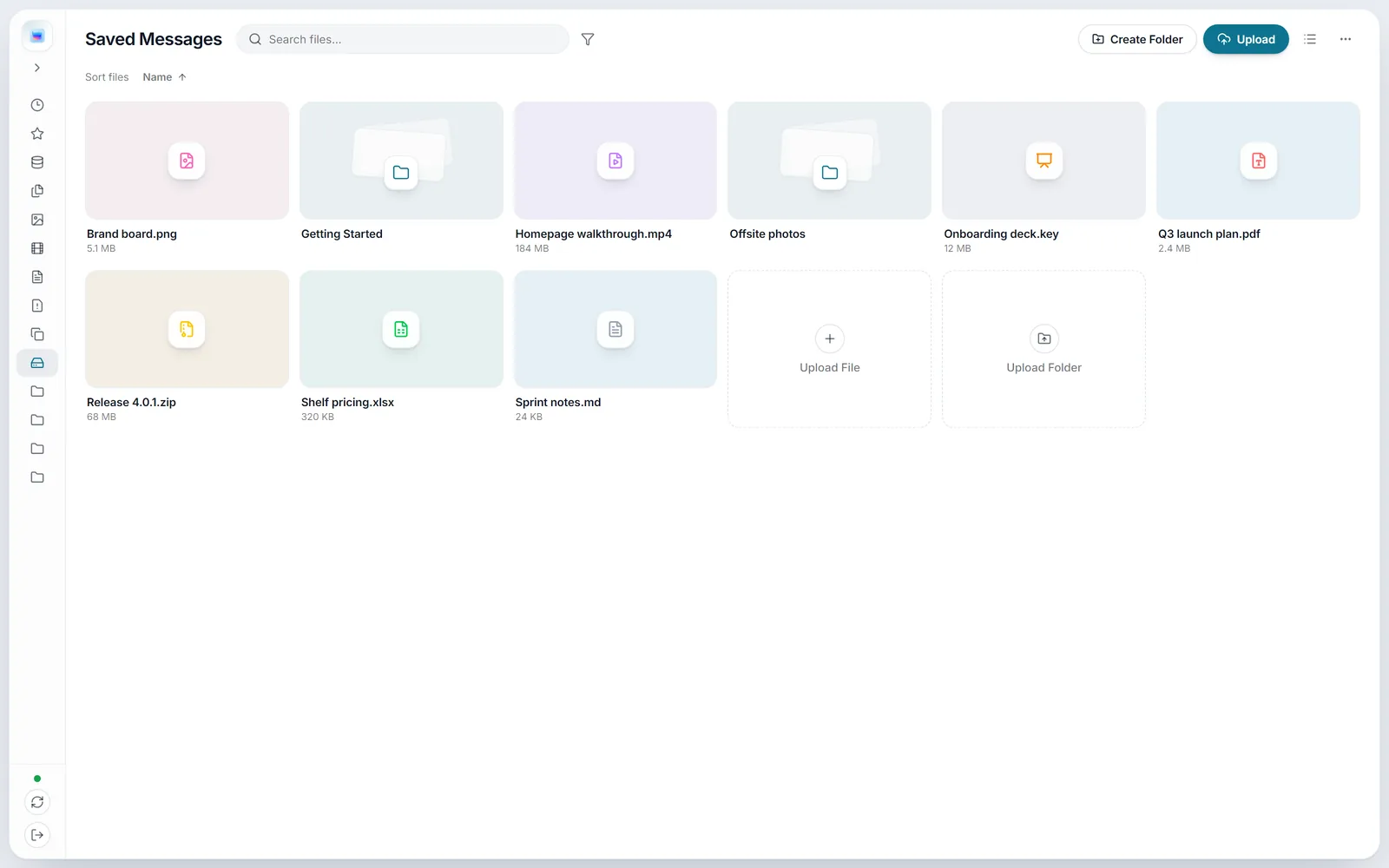
Shelf Drive desktop workspace in light mode, with the sidebar rail and a grid of folders and files
Your Telegram accountFiles stay in Saved Messages and channels.
Runs on your deviceNo Shelf Drive file-storage account to create.
Free and open sourceNo ads, no subscription, MIT-licensed source.

Telegram already holds the files. Shelf Drive adds the workspace around them.

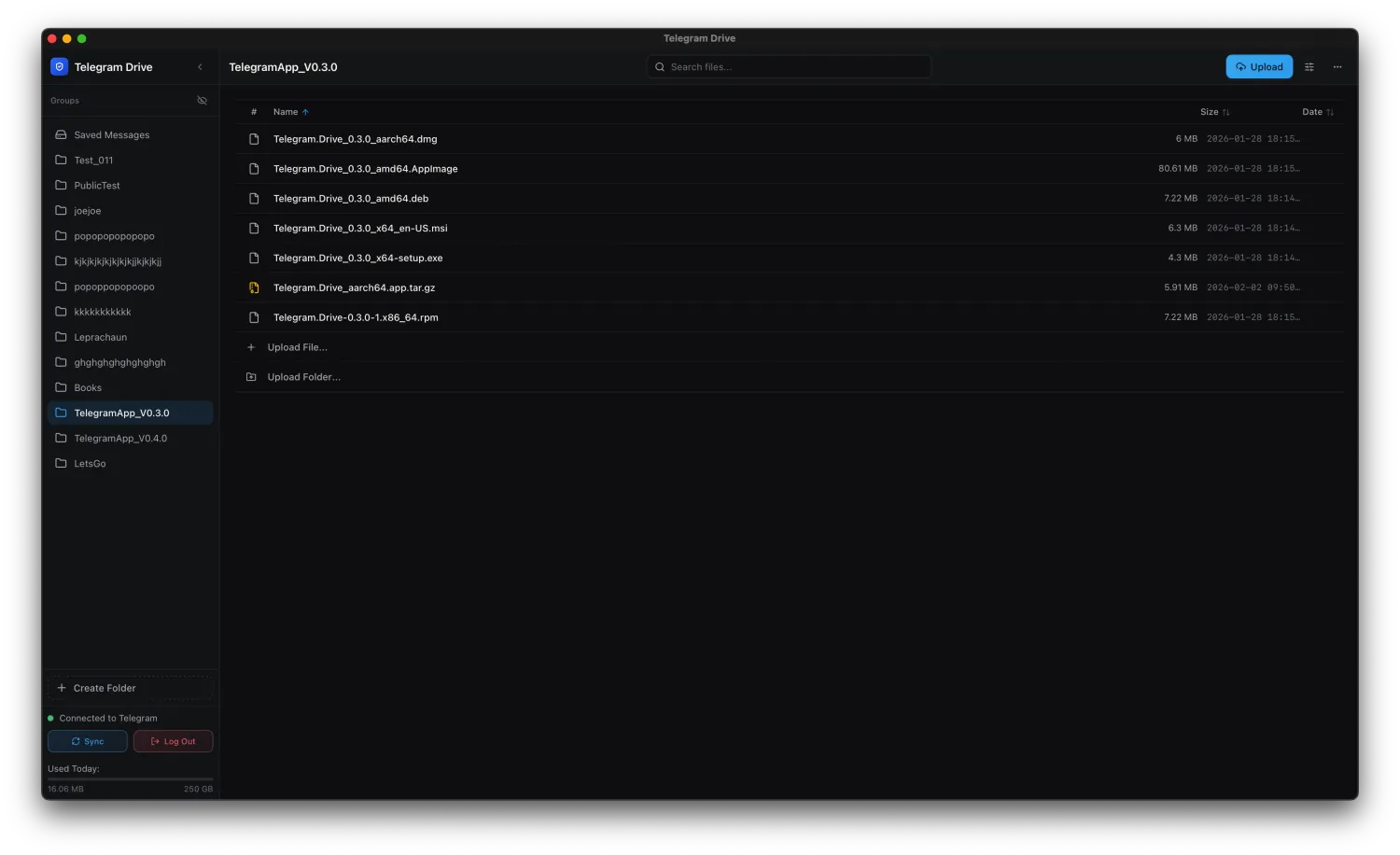
Shelf Drive list view with the column header and file rows
01 / ORGANIZE

Move through large folders without friction.

Use grid or list views, search across your workspace, drag files in from the desktop, and manage batches without losing context.

  • Multi-select and bulk actions
  • Transfer queues with retry and cancellation
  • Channels presented as familiar folders
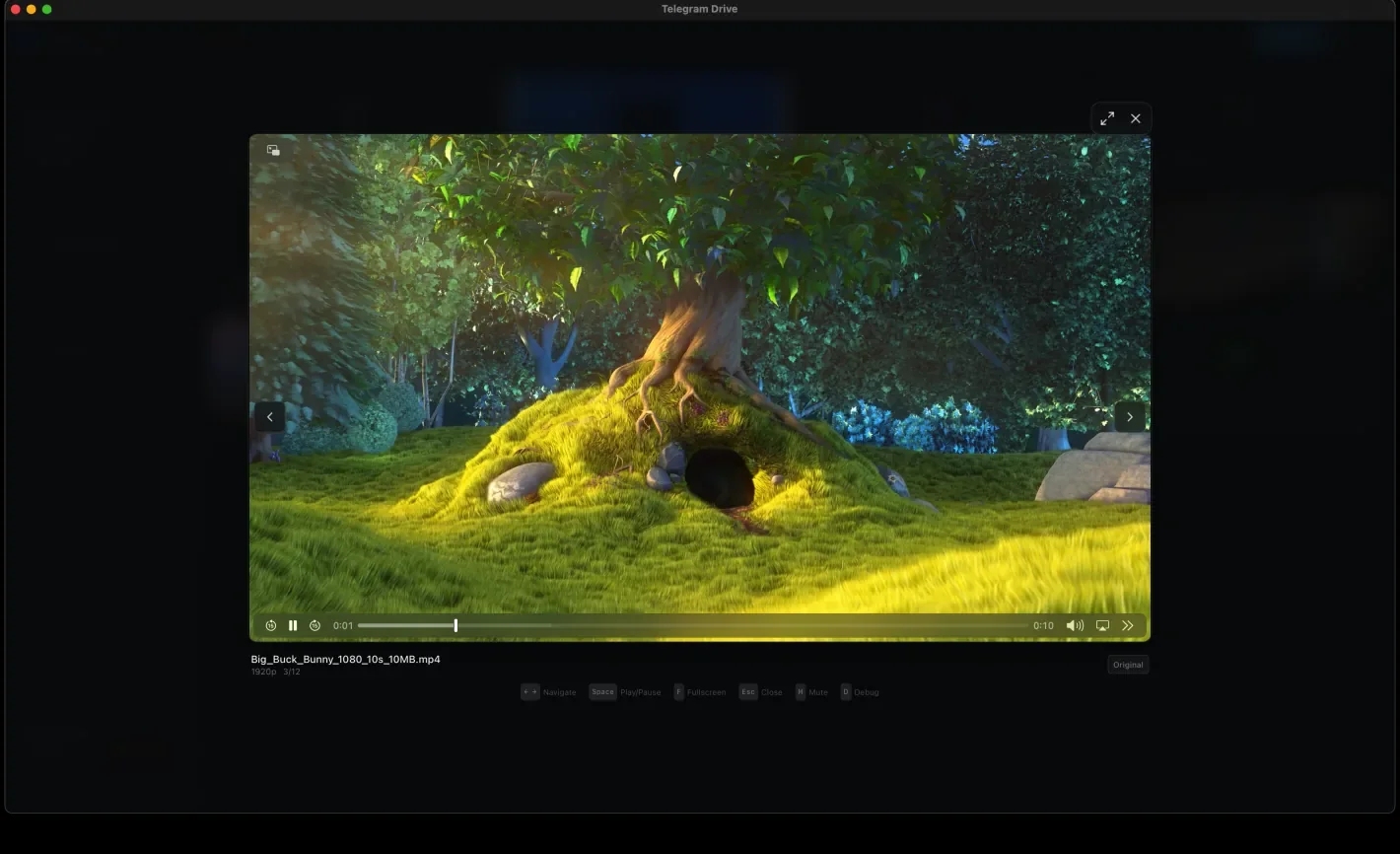
02 / PREVIEW

Open media without leaving the workspace.

Preview images and PDFs, listen to audio, and play video through the built-in media experience. On desktop, optional FFmpeg support enables adaptive HLS playback and local transcode caching.

  • Image, PDF, audio, and video viewers
  • Archive browsing and extraction
  • Local preview and transcode caches
Video playing inside Shelf Drive

New in 4.5.0

A quieter shell around the same workspace.

The desktop interface was rebuilt around a floating shelf window: a single header, a rail that stays out of the way, and artwork-first file tiles. Every existing feature is still there.

  • Artwork-first file cards with type-tinted tiles, a hover quick-action pill and a per-tile overflow menu.
  • A restyled list view with a column header and taller rows for scanning large folders.
  • Light and dark surfaces derived from the same theme tokens, so custom themes and presets still apply.
  • A signed in-place update from 4.0.1 that keeps your folders, settings and entitlement.

Capabilities

Useful tools, kept in proportion.

The core experience stays a file manager. Advanced features are available when you need them and stay out of the way when you do not.

01

Flexible uploads

Files, folders, drag-and-drop, retries, remote URLs, and queued transfers.

02

Controlled sharing

Telegram links and password-protected local links with expiration controls.

03

Optional encryption

Protect selected transfers with authenticated TDENC2 envelopes and local vault keys.

04

WebDAV

Opt-in local file-manager access with capability links and read-only defaults.

05

REST API

Local automation endpoints protected by an API key and disabled by default.

06

Folder Sync

Opt-in bidirectional sync between local folders and Telegram channels on Windows, macOS, and Linux.

Desktop Folder Sync

Keep a local folder and a Telegram channel in step.

Map folders to channels for bidirectional sync on Windows, macOS, and Linux. Shelf Drive compares what is local, what is remote, and the last successfully synced state before it plans a change.

Three-tree reconciliation

Local TreeFiles on this computer now
Synced TreeThe last confirmed shared state
Remote TreeFiles in the Telegram channel now

Off by default. Folder Sync starts only after you enable it in Settings and keeps that choice across restarts.

Network-safe planningAn incomplete remote scan pauses reconciliation, so a connection failure is not mistaken for deleted files.
Mass-deletion protectionIf planned deletions exceed 50% of the synced baseline, the run stops for review.
Atomic downloadsDownloads finish in a temporary file before replacing the destination, protecting against partial files.
Clear limits and conflictsFiles over 2 GB are skipped and logged. Conflicts can keep the local copy, remote copy, or both.

Getting started

Three steps, then it is your workspace.

Telegram requires every third-party client to identify itself with an API ID and hash. Those credentials are entered once and kept on your device.

Create API credentials

Visit my.telegram.org, open API development tools, and create an application to receive your API ID and hash.

Sign in securely

Use Telegram’s QR device flow on desktop. Phone-code and cloud-password flows remain available when Telegram permits them.

Start with what you have

Saved Messages becomes the home location. Existing or newly created channels appear as additional folders.

Trust model

A local app, not another cloud account.

Shelf Drive does not operate a file relay or hosted file database. Transfers happen between the app on your device and Telegram.

Local credentialsTelegram credentials, vault keys, and connection settings stay on the device unless you explicitly use encrypted settings sync.
Local services are opt-inREST and WebDAV are disabled by default, bind to loopback by default, and require capability credentials.
Encryption is explicitProtection is optional and recovery is your responsibility. Keep independent backups of important files and recovery material.
Source available for reviewApplication code, build configuration, and release history are public on GitHub.

Open source

Free to use. Nothing to unlock.

Shelf Drive is MIT-licensed and has no ads, no subscription and no paid tier. Every feature ships in the free build, and the source, build configuration and release history are public.

MIT licence
$0

No ads, no account, no recurring charge.

Everything, for everyone.

  • Uploads, previews, Folder Sync, WebDAV, the REST API and sharing are all included
  • Releases are built and signed in public GitHub Actions runs
  • Updates install in place and keep your folders and settings
  • Issues and pull requests are welcome in the repository
Download Shelf Drive

Shelf Drive is an independent open-source project that talks to Telegram directly from your device. Optional donations are handled by the maintainers; they never unlock features. Read the privacy policy or the security policy.

Download

Choose your platform.

Signed desktop installers for Windows, macOS and Linux come from GitHub Releases. Release notes and checksums are published with every build.

Latest releaseChecking GitHub…

Questions

Before you install.

Where are my files stored?

In your own Telegram account. Saved Messages acts as the home location and channels act as folders. Shelf Drive does not operate a separate file-storage service.

Is the storage unlimited?

No. Storage and file handling follow Telegram’s account, service, and per-file limits. Shelf Drive currently limits a Telegram object to roughly 2 GB, with slightly less available for encrypted files because of envelope overhead.

Does Folder Sync start automatically?

No. Folder Sync is off by default and must be enabled explicitly in Settings. On Windows, macOS, and Linux, you can then map a local folder to a Telegram channel and choose how to resolve any conflicts.

Is it really free?

Yes. Shelf Drive has no ads, no subscription and no paid tier, and the source is MIT-licensed. Optional donations support development but never unlock features.

Is there an Android build?

These releases ship desktop builds for Windows, macOS and Linux. The repository keeps Android packaging work in progress, but no signed Android package is published with 4.5.0, so this site does not link one.

Are WebDAV and the REST API public?

They are disabled by default and bind to loopback by default. REST uses an API key, while WebDAV uses a capability URL and starts in read-only mode. Network exposure remains under the user’s control.

Is Shelf Drive affiliated with Telegram?

No. Shelf Drive is an independent open-source project that uses Telegram’s client API. Review the source and documentation on GitHub.

Make your Telegram files easier to use.

Free, open source, and available for Windows, macOS and Linux.